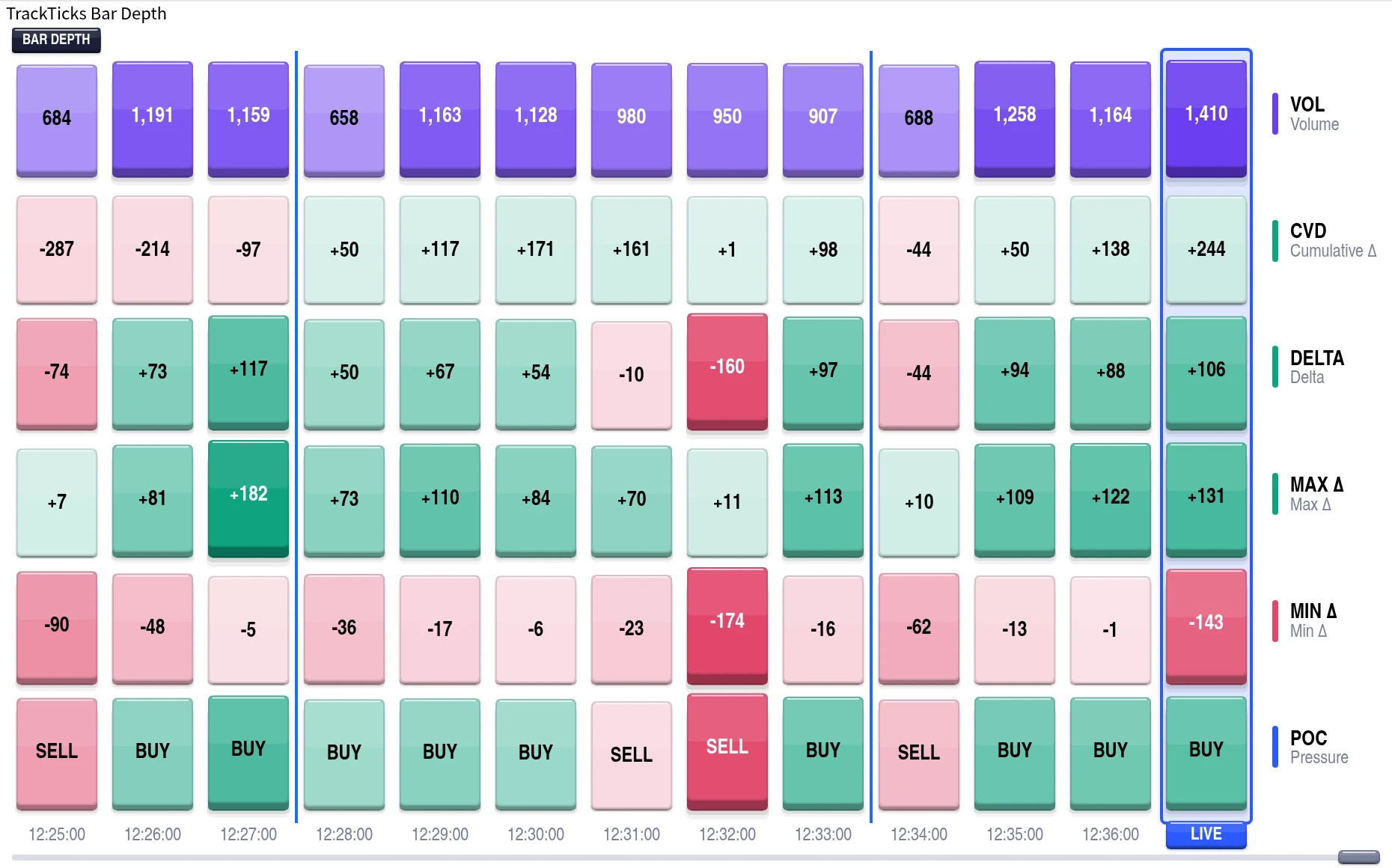
A live scoreboard under your candles, showing what actually traded inside every single bar.
A row of live numbers under every candle that shows who was actually buying and selling, and how many separate trades it took: Volume, Delta, Cumulative Delta, and trade counts, updating tick by tick.
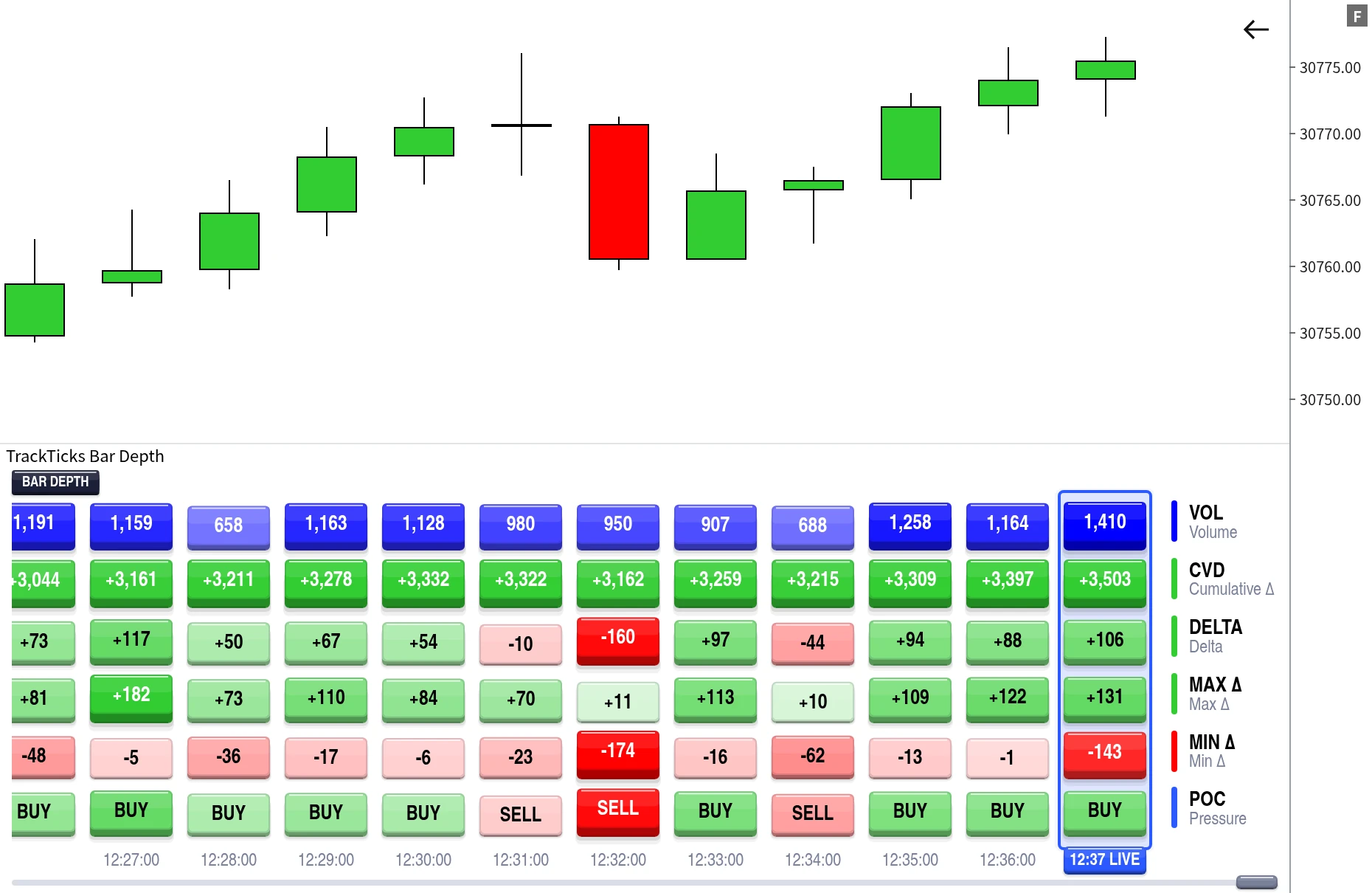
Add it, pick your rows, and it starts counting.
It appears as its own resizable panel beneath your candles. Drag the divider to set the height.
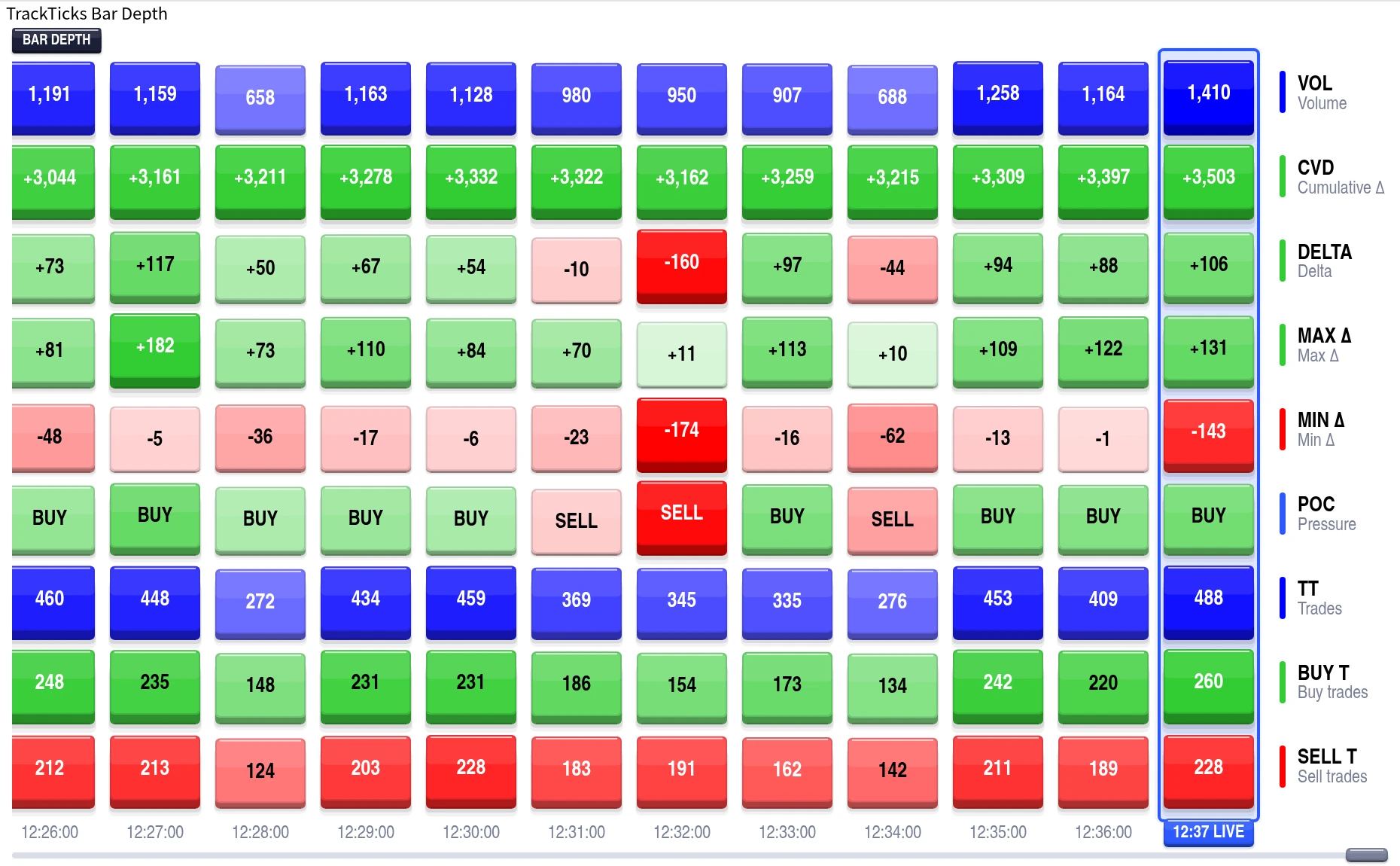
Assign any of nine stats to up to nine rows, in any order, or switch rows off entirely.
Move back through history using the strip's own scrollbar, without touching your chart's position.
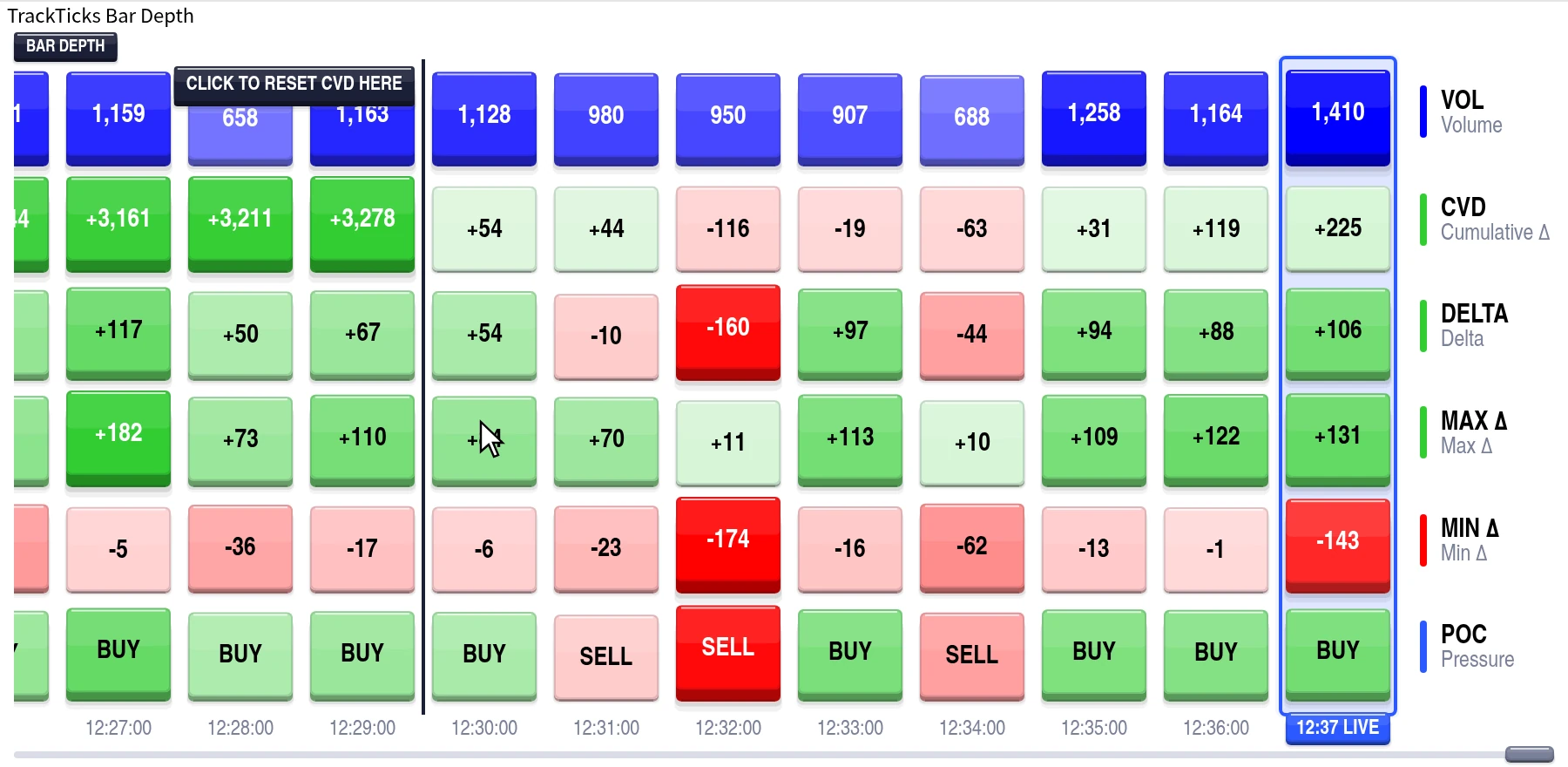
Pick a daily reset time for Cumulative Delta, and click any bar to add your own on top.
Bar Depth puts a compact statistics strip under your candlestick chart, and fills it live as trades print.
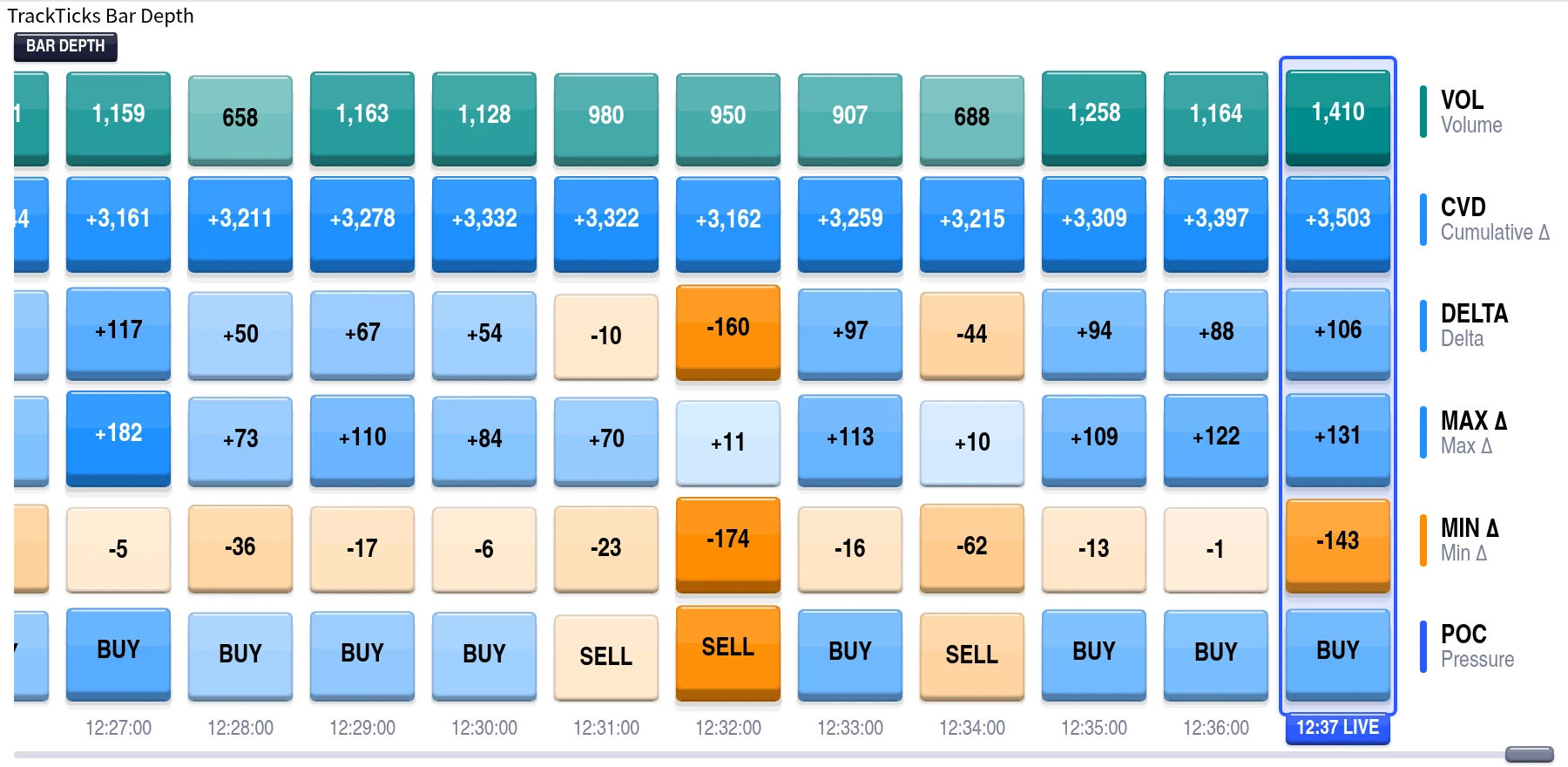
Pick what you want to see and where it sits. Turn off what you don't.
Cumulative Delta is only as useful as the point you start counting from.
Most per-bar order flow comes from a special bar type. This doesn't.
Traders who want a constant, compact read of what traded inside each bar, sitting next to a normal candlestick chart.
Runs on NinjaTrader 8. Bar Depth builds its per-bar statistics on its own tick-by-tick engine, so it works on any standard chart type. Full accuracy for Delta, Cumulative Delta, Min Delta, Max Delta, and the trade-count rows requires a live data feed providing CME Level 1 data, with Tick Replay enabled on the chart's data series for accuracy on historical bars. Volume is read directly from the chart's own bar data and remains accurate regardless of tick or bid/ask availability. If your feed or instrument doesn't provide CME Level 1 data, trades still process tick by tick using a midpoint-based classification in place of a true bid/ask comparison. Point of Control in this indicator is a simplified buyer/seller-dominance read based on each bar's overall Delta, not a price-level point of control.
Every setting explained, plus real chart examples of TrackTicks Bar Depth in use.
Bar Depth is one part of the full order flow suite. All six indicators are included in a single subscription.
New to order flow terms like Delta, Point of Control, or Footprint charts? See the glossary →
TrackTicks Bar Depth is a charting and data-visualization tool. It does not generate buy or sell signals, does not predict future price movement, and is not a substitute for your own analysis, judgment, or risk management. Accuracy of the Delta, Cumulative Delta, Min Delta, Max Delta, and trade-count figures depends entirely on the completeness and timeliness of the data supplied by your NinjaTrader connection, data feed, and broker.
Trading futures carries a substantial risk of loss and is not suitable for everyone. See the full site disclaimer for complete terms.